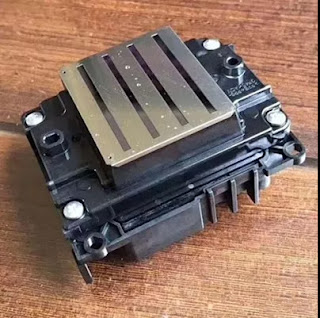
Hi, Nice to see you. Heavy snow in Nanjing today. Take care in your way to work if you are in Nanjing or any snow countries. We all know that Epson is a famous brand in the printing industry. While do you know how can you make your Epson printing get a better effect? Read the following and I will share you more.
Normally, the bad effect of the Epson sublimation printing can be divided into the following two situations:The nozzle check pattern is not printed correctly and the general printing quality is not good. For the different situations, we have the following different ways to solve them.
The nozzle check pattern is not printed correctly
If the nozzle check pattern does not print correctly, try the following solutions:
• Clean the print head and print the test pattern again.
• If the printer has not been used for a long time, the nozzles may be dry and clogged. Turn on the printer at least once every two weeks to avoid clogging the nozzles.
• Lint may adhere to the platen near the print head. Clean the area using the maintenance kit.
• If the nozzles are still clogged after head cleaning at the deepest level, leave the product turned off all night and then check the nozzles again. If you still can not clean the injectors, contact Epson technical support.
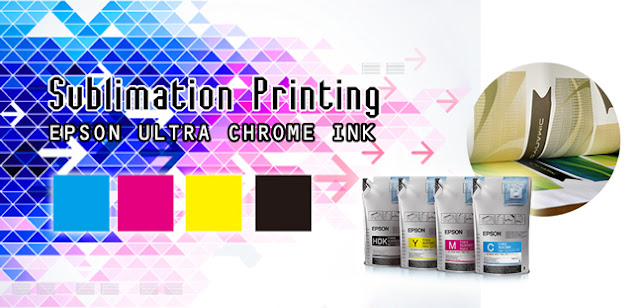
If you notice that the print quality is irregular, too light, too dark or if horizontal or vertical lines (bands) appear in the print, try the following solutions:
• Run a nozzle check to see if any of the print head nozzles are clogged. Then, clean the print head, if necessary.
• Align the print head.
• Use original Epson ink packs and make sure they have not expired.
• Make sure that the paper settings in your RIP software or in the product control panel match the paper you loaded.
• If you are comparing the print results with the image on your computer screen, the colors may not match. Because monitors and printers produce colors differently, printed colors and colors on the screen do not always look the same.
• Make sure that the printer cover is closed. Do not open any cover of the printer during printing. This can cause the print head to stop suddenly, resulting in irregular colors.
Okay, These all above are my share about how to improve your Epson sublimation printing with the Epson inkjet printer. If you have any needs or questions welcome to contact us at any time. We will provide you the best quality product and service. Hope my article can be useful to you. Thank you for your reading.
Whatsapp:+8618752006819
Website: www.feiyuepaper.com
Facebook: Fei Yue Paper Industrial Co.,Ltd
Email:zeo@feiyuepaper.com
2018年1月24日星期三
2018年1月3日星期三
Three Common Problems in The Digital Inkjet Printing-----Do You Know How to Solve it ?
Today is a snow day. How about you? If your weather is also snowy, take care of the slippery. Nowadays, with the development of the digital inkjet printing , this printing method is getting more and more popular in the world. People can use it for the fabric printing, paper printing or use it for the advertisement and banners produce.
However, The process of developing progress is the process of finding the problem. In our daily usage of the digital inkjet printings we must meet many different problems. Today in order to help your printing getting a better effect I will analysis three main problems in the printing process.
Sticky of the Paper
This problem is mainly reflected in the process of printing and happened on the sticky sublimation paper. When you printing your inkjet printer may feed two sheet or more papers st a time, this may cause your printing machine can't work normally and shut down.There are two main reasons that may cause this problem.
Firstly, It is because your sticky sublimation paper is to tacky or wet. This problem is easy to be solved. Put your sublimation paper on the radiator and dry your paper. But take care don't put it for a long time, or your sublimation paper may be not sticky than what you need.
Secondly, the sublimation paper you bought mostly stored in the cartons, sometimes if you import it from other countries, your sublimation paper may be pressed for a long time. The solution is holding both ends of the paper with both hands back and forth rubbing before you put it onto the inkjet printer, so that each piece of paper activities, so that the paper formed a neat bevel, so beveled down into the tray, so that will not Re-emergence of sticky sublimation paper phenomenon.
Jam Problem
This problem always happen on the desktop A3,A4 sublimation inkjet printer. Many times the jam is due to improper use. After a paper jam, turn the printer off and decide whether to pull the paper from the outside or inside depending on the jammed paper. Be especially careful at this time to prevent the pieces of paper from remaining inside the printer.
No Feeding of The Sublimation Paper
The general performance of the light to hear the sand wheel into the sublimation paper, that is, can not eat into the paper, causing the computer to prompt the printer out of paper and stop printing. I believe many users have encountered such problems.
The main reason for this problem is that the room is too dry. The dryness of the paper will weaken the friction between the paper feed wheel and the paper so as to slippery and eat without feeding paper. The only way to solve this problem is to increase the humidity of the room, but it must be well controlled. Otherwise, the previous problem will be caused. There is to pay special attention to, do not let the printer near the radiator, not to direct the heater directly on the printer, especially the kind of quartz tube direct-type electric heater, so that in addition to causing such problems do not feed, Will make the inkjet head dry knot, resulting in can not print.
Okay, These all above are my share about three common problems when use the digital inkjet printer. Each problem is related to the sublimation paper. So sometime have a good choice with both the sublimation paper and digital inkjet printer is very important. Of course if you have any needs or questions welcome to contact us at any time. We will provide you with the best quality product and service. Hope my article can be useful to you. Thank you for your reading.
Whatsapp:+8618752006819
Website: www.feiyuepaper.com
Facebook: Fei Yue Paper Industrial Co.,Ltd
Email:zeo@feiyuepaper.com
However, The process of developing progress is the process of finding the problem. In our daily usage of the digital inkjet printings we must meet many different problems. Today in order to help your printing getting a better effect I will analysis three main problems in the printing process.
Sticky of the Paper
This problem is mainly reflected in the process of printing and happened on the sticky sublimation paper. When you printing your inkjet printer may feed two sheet or more papers st a time, this may cause your printing machine can't work normally and shut down.There are two main reasons that may cause this problem.
Firstly, It is because your sticky sublimation paper is to tacky or wet. This problem is easy to be solved. Put your sublimation paper on the radiator and dry your paper. But take care don't put it for a long time, or your sublimation paper may be not sticky than what you need.
Secondly, the sublimation paper you bought mostly stored in the cartons, sometimes if you import it from other countries, your sublimation paper may be pressed for a long time. The solution is holding both ends of the paper with both hands back and forth rubbing before you put it onto the inkjet printer, so that each piece of paper activities, so that the paper formed a neat bevel, so beveled down into the tray, so that will not Re-emergence of sticky sublimation paper phenomenon.
Jam Problem
This problem always happen on the desktop A3,A4 sublimation inkjet printer. Many times the jam is due to improper use. After a paper jam, turn the printer off and decide whether to pull the paper from the outside or inside depending on the jammed paper. Be especially careful at this time to prevent the pieces of paper from remaining inside the printer.
No Feeding of The Sublimation Paper
The general performance of the light to hear the sand wheel into the sublimation paper, that is, can not eat into the paper, causing the computer to prompt the printer out of paper and stop printing. I believe many users have encountered such problems.
The main reason for this problem is that the room is too dry. The dryness of the paper will weaken the friction between the paper feed wheel and the paper so as to slippery and eat without feeding paper. The only way to solve this problem is to increase the humidity of the room, but it must be well controlled. Otherwise, the previous problem will be caused. There is to pay special attention to, do not let the printer near the radiator, not to direct the heater directly on the printer, especially the kind of quartz tube direct-type electric heater, so that in addition to causing such problems do not feed, Will make the inkjet head dry knot, resulting in can not print.
Okay, These all above are my share about three common problems when use the digital inkjet printer. Each problem is related to the sublimation paper. So sometime have a good choice with both the sublimation paper and digital inkjet printer is very important. Of course if you have any needs or questions welcome to contact us at any time. We will provide you with the best quality product and service. Hope my article can be useful to you. Thank you for your reading.
Whatsapp:+8618752006819
Website: www.feiyuepaper.com
Facebook: Fei Yue Paper Industrial Co.,Ltd
Email:zeo@feiyuepaper.com
2017年11月28日星期二
Ways for You to Solve The Problem If The Print Head of Your UV Printer is Blocked
Hi, Nice to see you. In the digital inkjet printing process, whatever your digital printer is the sublimation printer or the UV printer. You all should grasp some basic ways to solve the problem if your print head is blocked. While in my last articles I have shared you about howto solve it with the sublimation print head and today I will help you about how to solve when it happen in the UV printers.
Firstly, for the print head of the UV printer. The blocked can be divided into different levels. So in order to have detailed introduction I will share you from the different levels.
Level 1 Lightly Block
Solution: Soaking
Specific Method
95% alcohol, a clean cup and a flat bottom metal containers. Prepare a small plate, put the nozzle on the it, and then into the disk some UV printer cleaning fluid, the depth of the fluid just above the nozzle. Be careful not to spill liquid on the cable plug and drive circuit board, the first soaking time of 1 to 4 hours.
Level 2 Heavily Block
Solution: Nozzle Injection Pressure Washing
Specific Method
95% alcohol, a clean cup, a disposable syringe, disposable infusion set. Working principle: use syringes siphon effect of the pressure, put the cleaning fluid into the print head, so as to achieve the purpose of cleaning blocked print head.With a plastic tube of the infusion set, one side plug in the syringe, the other end put on the nozzle that need to be clean. Press the clean liquid from syringe to print head, pay attention to the pressure , should not be too strong, make sure not to squeeze the inside waterproofing glue.This process needs to be repeated several times until you see that each ink hole ejects a slim water column. In this way, the blocked nozzles are cleaned.
Level 3 Heavily Block
Solution: Distilled Water Cleaning
Specific Method
A coded empty cartridge, a disposable syringe and a bottle of medical distilled water (also available with pure water), similar to the nozzle injection pressure washing.
Prepare a decoded empty cartridge, a disposable syringe and a bottle of medical distilled water, use siphon action of the syringe pressure, inject the distilled water through the cartridge hole, after a while sucked out the distilled water by the syringe , few times the ink cartridge can be cleaned.
Level 4 The Most Serious Block
Solution: Ultrasonic Instrument Cleaning Method
Specific Method
Gently put the print head into the washing machine, add pure water or special cleaning liquid, just cover the print head stainless steel edge (Be careful not to let the PCB board splash with pure water or special cleaning solution),10 to 15 hours can be quickly cleaned. The advantage is that the cleaning effect is very good, even for year blocking print head can be cleaned, the operation is also very simple. The disadvantage is that the cleaner maintenance costs is higher and the price is expensive.
Okay, These all above are my share about how to solve the block of your UV print head. If you have any needs or questions welcome to contact us at any time. We will provide you with the best quality product and service. Hope my article can be useful to you. Thank you for your reading.
Whatsapp:+8618752006819
Website:www.heatsub.com
Facebook: zeo(章江徽)
Email:zeo@feiyuepaper.com
Firstly, for the print head of the UV printer. The blocked can be divided into different levels. So in order to have detailed introduction I will share you from the different levels.
Level 1 Lightly Block
Solution: Soaking
Specific Method
95% alcohol, a clean cup and a flat bottom metal containers. Prepare a small plate, put the nozzle on the it, and then into the disk some UV printer cleaning fluid, the depth of the fluid just above the nozzle. Be careful not to spill liquid on the cable plug and drive circuit board, the first soaking time of 1 to 4 hours.
Level 2 Heavily Block
Solution: Nozzle Injection Pressure Washing
Specific Method
95% alcohol, a clean cup, a disposable syringe, disposable infusion set. Working principle: use syringes siphon effect of the pressure, put the cleaning fluid into the print head, so as to achieve the purpose of cleaning blocked print head.With a plastic tube of the infusion set, one side plug in the syringe, the other end put on the nozzle that need to be clean. Press the clean liquid from syringe to print head, pay attention to the pressure , should not be too strong, make sure not to squeeze the inside waterproofing glue.This process needs to be repeated several times until you see that each ink hole ejects a slim water column. In this way, the blocked nozzles are cleaned.
Level 3 Heavily Block
Solution: Distilled Water Cleaning
Specific Method
A coded empty cartridge, a disposable syringe and a bottle of medical distilled water (also available with pure water), similar to the nozzle injection pressure washing.
Prepare a decoded empty cartridge, a disposable syringe and a bottle of medical distilled water, use siphon action of the syringe pressure, inject the distilled water through the cartridge hole, after a while sucked out the distilled water by the syringe , few times the ink cartridge can be cleaned.
Level 4 The Most Serious Block
Solution: Ultrasonic Instrument Cleaning Method
Specific Method
Gently put the print head into the washing machine, add pure water or special cleaning liquid, just cover the print head stainless steel edge (Be careful not to let the PCB board splash with pure water or special cleaning solution),10 to 15 hours can be quickly cleaned. The advantage is that the cleaning effect is very good, even for year blocking print head can be cleaned, the operation is also very simple. The disadvantage is that the cleaner maintenance costs is higher and the price is expensive.
Okay, These all above are my share about how to solve the block of your UV print head. If you have any needs or questions welcome to contact us at any time. We will provide you with the best quality product and service. Hope my article can be useful to you. Thank you for your reading.
Whatsapp:+8618752006819
Website:www.heatsub.com
Facebook: zeo(章江徽)
Email:zeo@feiyuepaper.com
订阅:
博文 (Atom)
What is Epson 4720 Printhead? It Can Replace 5113 Print Nozzle?
Hello, nice to see you again, my dear friends. It will rainy in Nanjing, the sky is dack, wind is heavy. Now I will tell you the topic is a...
-
Hi~ nice to see you again, my dear friends. The National Day will coming! So from tomorrow to 7th October, I am in holiday. And today's...
-
Hi! Nice to see you again, my friends. Today, let's talk about how to clean epson nozzles . No matter if you use branded, compatible or ...
-
Hello, nice to see you again, my dear friends. It will rainy in Nanjing, the sky is dack, wind is heavy. Now I will tell you the topic is a...