1. Clean Sponges with Distilled Water.

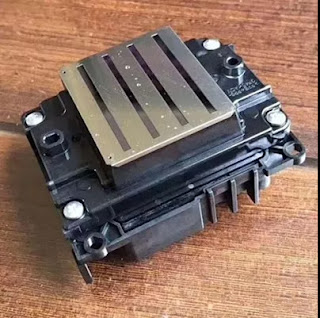
- Turn off the printer and open the top. You should be able to see the printhead assembly.
- Look for a small plastic level, which will pop up when the printer isn’t printing, to the left of the assembly. Move it forward and down to release the printhead, then push the assembly to the right. It may only move an inch or less at first, but when you push it to a stop, it will click. This fully releases the assembly so you can push it to the side.
- If there is no lever next to your printhead assembly, print a page with the top up and unplug the printer with the assembly in the center, unlocked.
- You should see sponges, which store ink from the cartridges in the carriage. Using an eyedropper or plastic syringe, saturate the sponges with distilled water.
- Move the assembly back over the sponges as far right as it will go.
- Let the distilled water set for at least fifteen minutes. For the best results, consider letting the printer soak overnight.
- Print six to eight pages dense with text and images until your prints are come out clean and crisp. If you are still not getting good results, consider moving on to the next step in cleaning your printhead.
2. Distilled Water in Ink Port.

- Remove the ink cartridges from your printhead carriage.
- With the ink cartridges removed, you will see small cone-shaped indents which take the ink from the cartridge to the printhead. These are ink ports, and there should be one for each color/black cartridge.
- Using an eye dropper or plastic syringe, put a couple of drops of distilled water or printhead cleaner into the ink port that may be plugged. Do not put cleaner into all of the ports! If you’re unsure, which color is which, look at the bottom of the ink port for color residue. Usually, yellow is the color on the far right, and going left it’s magenta, cyan, and, finally, black on the far left.
- Replace ink cartridges and wait for the printer to set up the new cartridge. If any water or solution dripped from the printhead, wipe it up with a paper towel before proceeding.
- Print out six to eight pages of text and images to test clarity. Still not getting good results? Try this next procedure:

- Turn your printer off.
- Tear a single sheet of paper towel in half and fold it lengthwise until it is about one-half inch wide.
- Open the top of your printer and look for a rubber roller that transports paper through the feed system. This feed system is where the printhead runs over when printing.
- Secure the paper towel to the roller with tape and apply several drops of distilled water or cleaner near the middle of the towel.
- Move the printhead assembly over the paper towel and let it rest for at least fifteen minutes. Allow time for the dried ink on the printhead to begin to dissolve. In time, you will see a collection of black ink on the paper towel—this is more than just the black ink, it’s actually a combination of all colors into one pool.
- Repeat with fresh damp paper towels until you start to see individual colors from each ink port. You may need to repeat the process several times to see good results.
- Next, you will want to turn your printer back on. Before you do so, make sure the printhead assembly has returned to its ready position, rather than resting in the center.
- Print several pages to make sure each of the ports are cleared.
Faster printing speeds and sharper images mean it’s more likely that your printhead will suffer. With more Epson printers being produced with these capabilities, the better off you are knowing how to prevent clogged nozzles.
Okay, These all above are my share about the ways of cleaning epson printer nozzles. If you have any other needs or questions welcome to contact us at any time. We will provide you the best quality product and service. Hope my article can be useful to you. Thank you for your reading.